
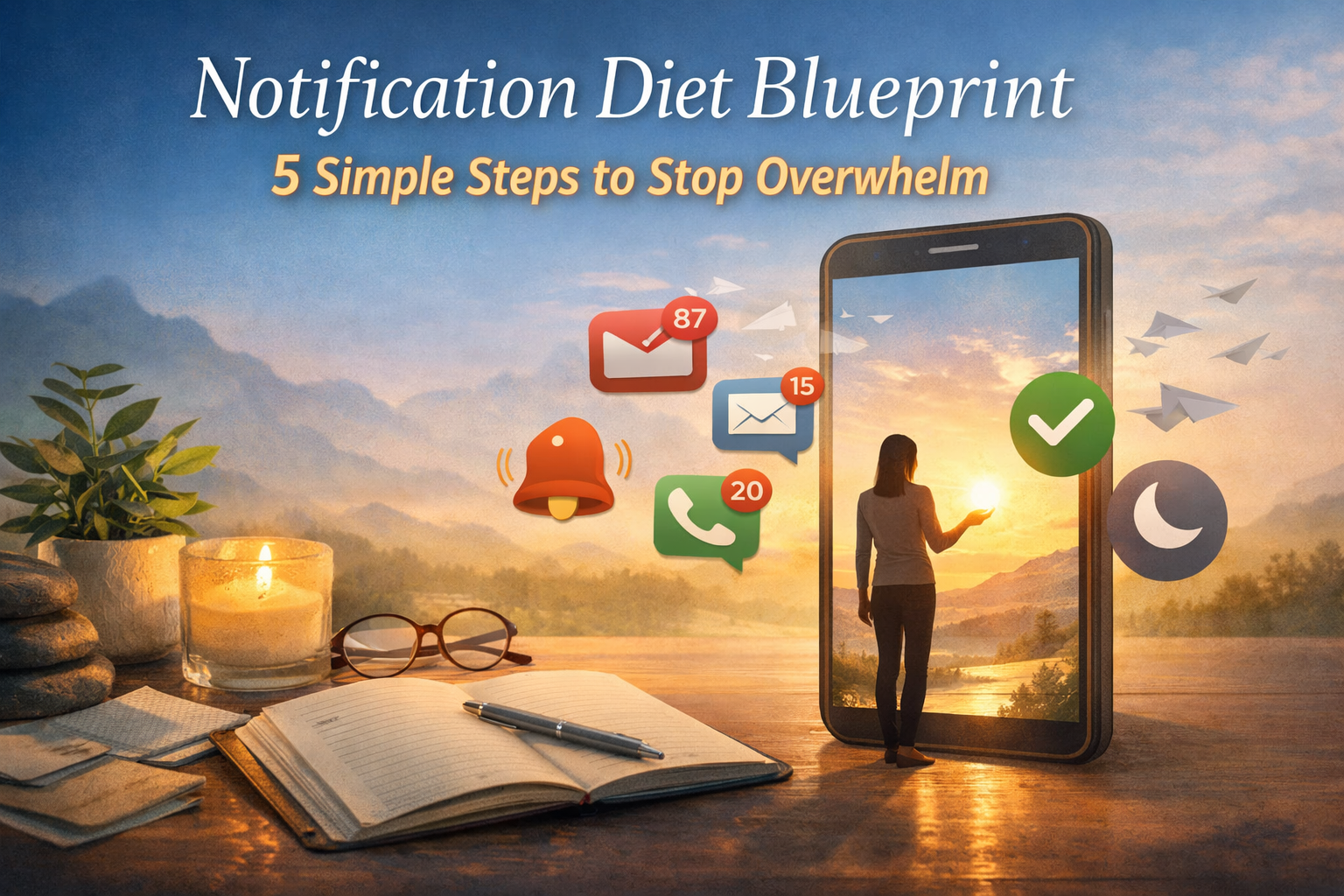
If your phone feels like a tiny boss that never clocks out, you’re not imagining it. Those pings don’t just interrupt your tasks, they interrupt your nervous system. One minute you’re answering an email, the next you’re scrolling, snacking, and wondering why you can’t hear yourself think.
This pressure is especially real for women carrying work, family, group chats, community needs, and the invisible mental load. Notifications quietly train your brain to react now instead of choose now.
I’ve had seasons where my lock screen looked like a slot machine. Bright. Loud. Always demanding. I didn’t need more discipline. I needed a clear plan and kinder boundaries.
How do I reduce notifications without missing emergencies?
Start by protecting the few alerts that truly can’t wait, like calls or messages from family, your kids’ school, or key contacts. Keep those on your lock screen with sound or vibration turned on. Then quiet everything else. Set work and “important but not urgent” apps to silent or banner-only, and batch all FYI updates into a daily summary you check on your terms. Review your settings weekly so your phone keeps matching your real priorities, not your apps’ agendas. This way you stay reachable for what matters, without living in constant reaction mode.
Why do notifications affect your mood and focus so much?

Notification management isn’t just a tech setting. It’s emotional wellness work. Every ping pulls your attention away from what you chose to do and forces a tiny decision: Do I respond, ignore, or feel guilty for waiting? Those micro-decisions add up to mental fatigue.
Here’s what most people don’t realize: your body reacts before your mind processes the alert. A quick spike in tension. Tight chest. Pressure. Irritation. FOMO. Even dread. That’s why phone notifications can feel overwhelming, overstimulating, or draining.
If you’ve ever wondered why you feel jumpy or scattered after a stream of alerts, this is why. Your nervous system is constantly being asked to react.
This is also where intentional living begins. Reducing unnecessary notifications protects your focus, your sleep, your relationships, and your peace of mind. You’re deciding, on purpose, what deserves instant access to you instead of letting every app interrupt your day.
How do notifications impact different areas of your life?
Your phone doesn’t sit outside your life. It sits right in the middle of it. That’s why constant alerts don’t just distract you. They ripple into your health, work, relationships, mood, and sense of peace.
Try a quick scan across the main areas of your life. Where are notifications causing the biggest disruption right now?
- Health: late-night scrolling, broken sleep, jumpy mornings
- Work & Purpose: constant context switching and shallow focus
- Finances: missed reminders or impulse-buy notifications
- Relationships: being half-present in real-life conversations
- Personal Growth: no stillness, no time to reflect
- Environment: cluttered digital and mental space
- Fun & Rest: even downtime gets interrupted
- Spirituality & Meaning: no quiet, no space to breatheathe
Seeing the pattern matters. When every app has instant access to you, your day becomes reactive by default. When you reduce unnecessary alerts, you’re not just “managing notifications.” You’re choosing a calmer rhythm for your whole life, one small setting at a time.
The Notification Diet Blueprint: 5 steps you can set up today
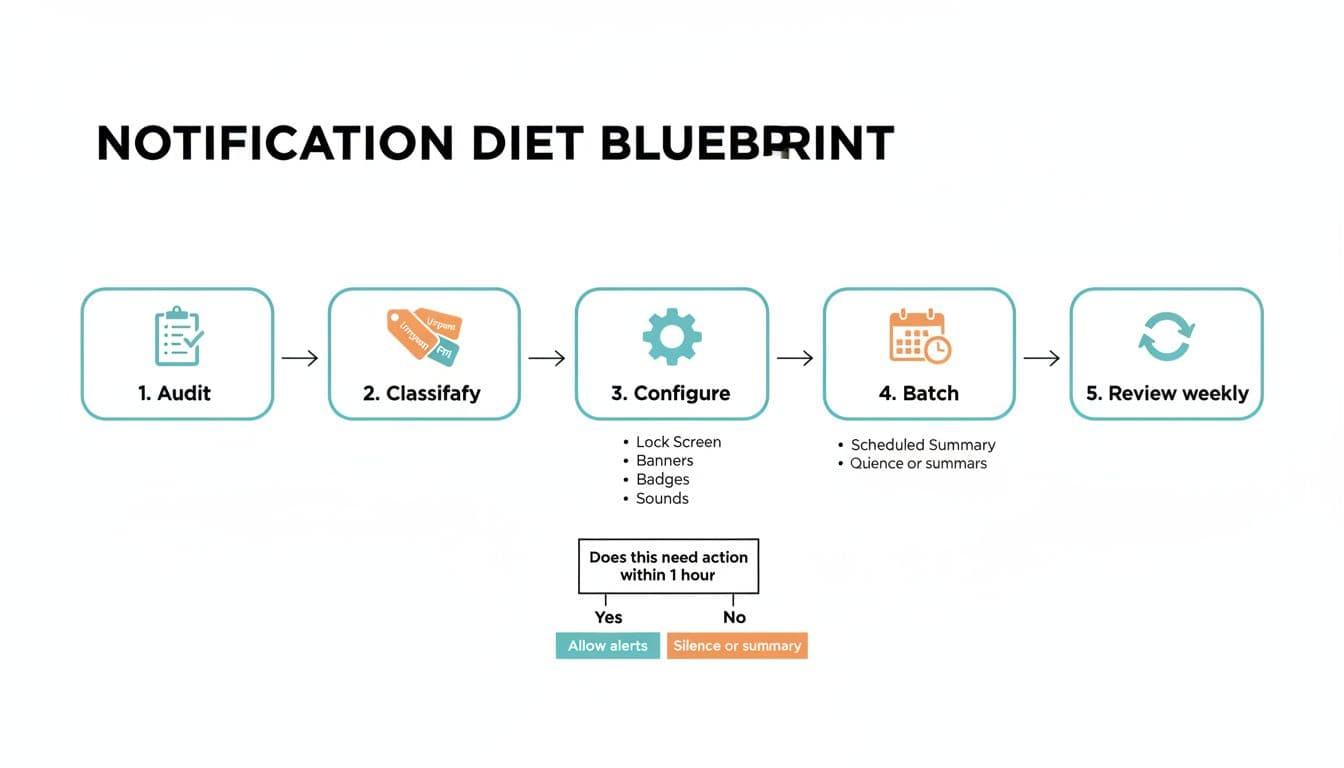
Think of this as a simple reset for your phone. These five steps help you reduce distractions without missing what matters. You can do them in under an hour, and repeat them anytime your alerts get noisy again.
Step 1: Audit your notifications (Awareness)
Start with awareness, not judgment. For the next 24 hours, notice what shows up and what it costs you in focus, peace, and energy.
A simple way to audit without turning it into a whole project:
- Check your notification history or Screen Time report
- Look at your lock screen and count how many different apps show up there
- Ask yourself: “Which alerts made me feel rushed, tense, or pulled away from myself?”
You’re not trying to be perfect. You’re just seeing the truth clearly. Awareness is the first step to digital wellness and intentional living.
Step 2: Classify your notifications by urgency (Insight)
Not every alert deserves to interrupt you. When you sort notifications into simple categories, you stop treating everything like an emergency.
A clear way to sort apps and people:
| Category | What it means | Examples |
|---|---|---|
| Urgent | Needs action within 1 hour | Calls from family, kids’ school, security alerts |
| Important | Matters, but can wait | Work chat, calendar reminders, banking alerts |
| FYI | Nice to know, not time-sensitive | Social, shopping, news, most app “updates” |
If you’re unsure, ask one grounding question: “Would something bad happen if I didn’t see this for a few hours?”
If the answer is no, it isn’t urgent.
This is the step where balance shows up. You still stay reachable for what matters, but you stop letting every ping borrow your nervous system.
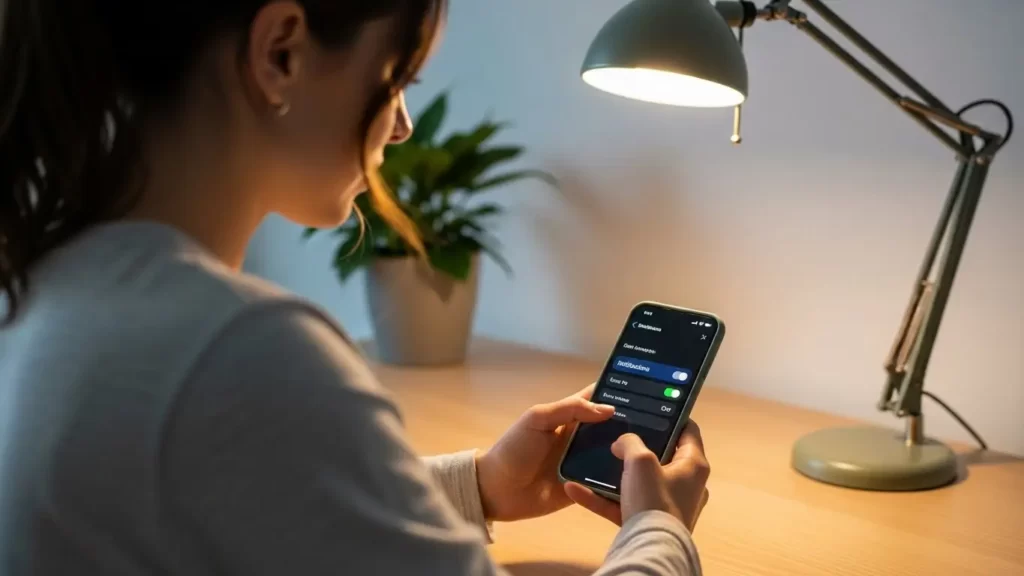
Step 3: Configure your alert styles so your phone matches your priorities (Alignment)
Now that you’ve sorted your notifications by urgency, it’s time to match your phone settings to real life. This is where alignment happens. Your phone stops running your day and starts supporting it.
There are four main settings that shape how reactive you feel:
- Lock Screen: reserve this for Urgent only (and a few truly Important ones)
- Banners/Pop-ups: use these for Important alerts, turn them off for FYI
- Badges: keep only where they help, remove them if they trigger anxiety or checking
- Sounds/Vibration: fewer sounds = a calmer nervous systemunds equals a calmer body
If you’re on iPhone, Focus Modes let you choose who and what can reach you in different seasons of your day (sleep, work, family time). The official guide on allowing or silencing notifications for a Focus is worth using as you set this up.
If you want a practical walkthrough for iPhone controls, this guide on how to customize iPhone notifications lays out the options clearly.
On Android, notification channels let you mute promos but keep delivery or security updates. This Android-focused guide on customizing Android notifications for a distraction-free life is a helpful reference.
A simple rule you can trust:
If an alert doesn’t need real-time attention, it shouldn’t interrupt real-time life.
This shift keeps you reachable for what matters without living in constant alert mode.
Step 4: Batch notifications and protect quiet hours (Action)
This is where you get your time and mental space back.
Instead of letting alerts interrupt you all day, group non-urgent notifications into set windows. That way you check them on purpose, not out of reflex.
Two batching tools that work in real life:
- Scheduled Summary (or similar): send FYI alerts 1–3 times a day
- Quiet Hours / Focus Modes: allow only Urgent alerts during sleep, deep work, school pickup, or family time
Think of batching like putting your mail in a mailbox instead of having the mail carrier walk into your living room every 12 minutes.
If you want a simple daily rhythm, try this:
- Morning: no FYI alerts for the first 60 minutes
- Midday: one window to check non-urgent messages
- Evening: quiet hours so your body and brain can settle
You’re not shutting the world out. You’re building gentle boundaries that support presence, rest, and emotional wellness.
Step 5: Review weekly so your phone keeps matching your real life (Grow + Nurture)
Your life shifts. Seasons change. Priorities evolve. Your notification settings should evolve with you.
Once a week, take three quiet minutes and check in:
- What alerts interrupted your peace this week?
- What did you miss that truly mattered?
- What needs adjusting for the next seven days? days?
This isn’t about perfection. It’s about alignment. When you review weekly, you stay reachable for what matters right now without slipping back into constant reaction mode.
Think of it like tending a garden. You don’t rip everything out. You trim, reshape, and keep what’s growing well. That’s how digital wellness becomes part of your everyday life design instead of a one-time reset.
What should you do in the moment when a notification triggers you?
Sometimes the real problem isn’t the notification itself. It’s the meaning your mind attaches to it: “I’m behind. I need to respond. Someone needs me now.”
Instead of reacting on autopilot, try this quick inner check. It takes less than 10 seconds:
- Awareness: “I feel pulled.”
- Insight: “This ping is making me feel rushed or responsible.”
- Emotion acknowledged: “Pressure is here. That’s real.”
- Oriented action: “I’ll batch this for later and return to what I chose.”
You’re not ignoring your life. You’re choosing your response. That’s digital self care plus emotional skill working together — and over time, it trains your nervous system to feel safer and less reactive.
One journaling prompt to lock in clarity and purpose
If you only do one reflection practice alongside your settings changes, let it be this one. It helps you see the story notifications are writing in your life so you can rewrite it on purpose.
Journaling prompt (for your next 5 minutes):
“When I get interrupted all day, I start to believe ________. I want to believe ________ instead. The kind of support I need from my phone this season is ________.”
Keep it honest and simple. A few real sentences are enough to shift awareness. Awareness creates alignment. Alignment creates change.
If you want a clearer picture of what’s really asking for your attention
Sometimes notifications feel heavy because they’re landing on top of an already full life. If you’d like a gentle way to look at all eight areas of your life, the Personal Life Evaluation Assessment helps you see what feels grounded, what feels stretched, and where small shifts might bring relief.
You don’t need to fix everything. Just getting honest about where you are is a powerful start.

Start With Clarity, Not Pressure
If you want help seeing which area of your life needs support first, try the free Personal Life Evaluation Assessment (PLEA). It gently maps your 8 key life areas so you can choose one small rule that makes the biggest difference.
Common roadblocks (and what to do instead)
If you feel nervous about turning notifications down, you’re not alone. These are the most common worries I hear, along with calmer ways to respond.
“What if I miss something important?”
Keep calls and a short VIP list on. Protect what truly matters, and let everything else arrive quietly. You’re reducing noise, not connection.
“I feel guilty not responding right away.”
Guilt doesn’t mean you’re doing something wrong. It often means you’re used to over-functioning. Accessibility is not the same as care. Being present where you are is also care.
“My work needs fast responses.”
Then precision is your friend. Let urgent work channels through. Silence promos, newsletters, ads, and FYI chatter. Boundaries don’t block your work. They support it.
And remember: you can always adjust. You’re not locking yourself into anything. You’re learning what supports your nervous system and your real priorities.
FAQ: Notification Diet Blueprint
Your core takeaway and your next small step
Your attention is part of your life design. Your phone should follow your priorities, not the other way around.
You don’t have to turn everything off. You just need fewer interruptions than you have right now, and clearer intention behind the ones you keep.
One small next step:
Choose one change today. Maybe it’s turning off badges for a single app. Maybe it’s adding two people to your VIP list. Maybe it’s setting quiet hours tonight.
Start small. Stay kind to yourself. Adjust weekly.
And when your phone supports your peace instead of stealing it, you’ll feel it in your body first — calmer, steadier, more present in your real life.


Share Your Thoughts